Make your own cross stitch pattern
From your own idea to a print-ready chart: draw stitch by stitch on the grid – Stitchmio takes care of symbols, color key, counting aids and fabric size.
- Free, no sign-up
- Photos and patterns stay on your device
- Free printing up to 50 × 50 stitches
- Pro one-time or by subscription, cancel any month after year one
What you get
- Grids up to 300 × 300 stitches (up to 500 × 500 with Pro)
- Full, half and quarter stitches, backstitch and French knots
- Automatically assigned, easy-to-tell-apart symbols – great for black & white printing
- Color key with color name, thread number and stitch count
- Finished size for 11, 14, 16, 18-count Aida or linen
- Bold lines every 10 stitches and center arrows
- Multi-page printing with overlap and page map (Pro)
How to make your chart
- Choose the size. Think about how big the finished piece should be. On 14-count Aida, 14 stitches make one inch – our fabric calculator helps.
- Add colors. Pick from the palette or the color picker. Optionally add your thread number.
- Draw. Use pencil, fill, line and rectangle. The mirror tool makes symmetrical designs effortless.
- Print. “Print PDF” creates a cover, color key and chart. Small charts are automatically printed as large as possible.
Tips for beautiful cross stitch designs
Use a few strong colors – 5 to 12 are enough for most designs. Dark outlines make small motifs readable. Avoid single “confetti” stitches of one color, they are tedious to stitch. And leave enough fabric around the design: at least 2 inches on each side for hooping and framing.
What your printed pattern looks like
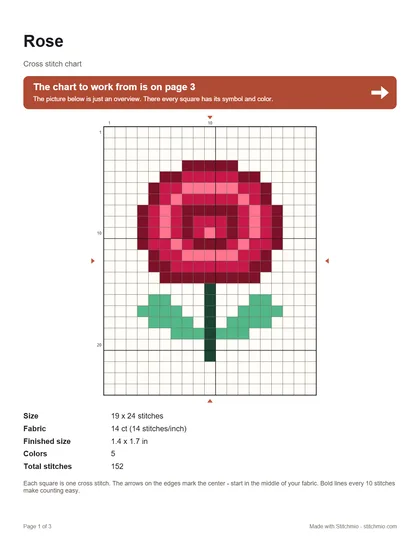
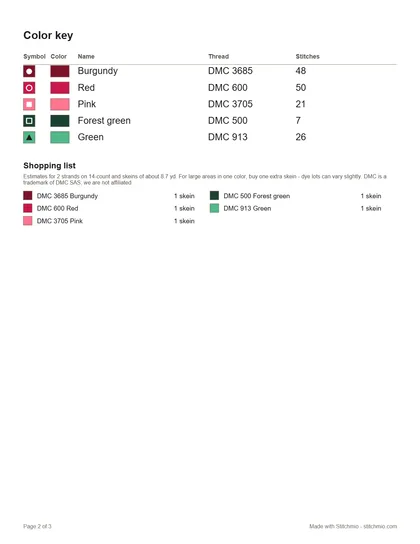
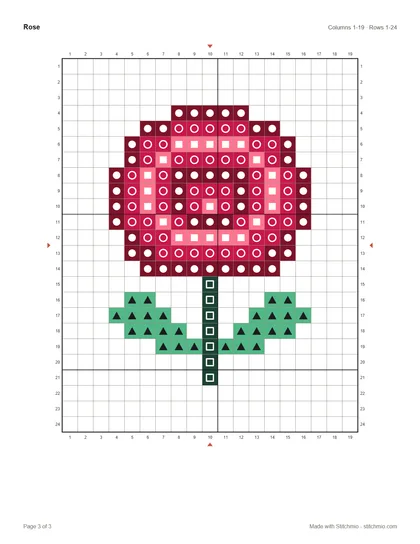
A real example: the free “Rose” pattern as a PDF, exactly as the pattern maker prints it. Larger charts are split across several chart pages with a page map.
Open the sample PDF PDF, 3 pages, 21 KB
Frequently asked questions
How big will my cross stitch be?
Divide the number of stitches by the fabric count: 70 stitches on 14-count Aida make 5 inches. Stitchmio always shows the finished size at the bottom of the editor.
Can I add half stitches, backstitch or French knots?
Yes. The “Backstitch” tool draws outlines from grid point to grid point, and “Half stitch” and “Quarter stitch” smooth out edges. Tap the backstitch button a second time to place French knots – on a grid point or in the middle of a square, for eyes or flower centers. Everything shows up in the PDF and the color key: backstitch as bold lines, knots as circles in their color with the color’s symbol inside, so they stay apart in black and white too. The shopping list includes the knots.
Can I print in black and white?
Yes. Choose “Symbols only” when printing – each color is shown by its symbol only and you save ink.
Ready for your first own pattern?
It takes less than a minute to your first stitch.
Create a pattern for free