How to stitch from a pattern on a tablet
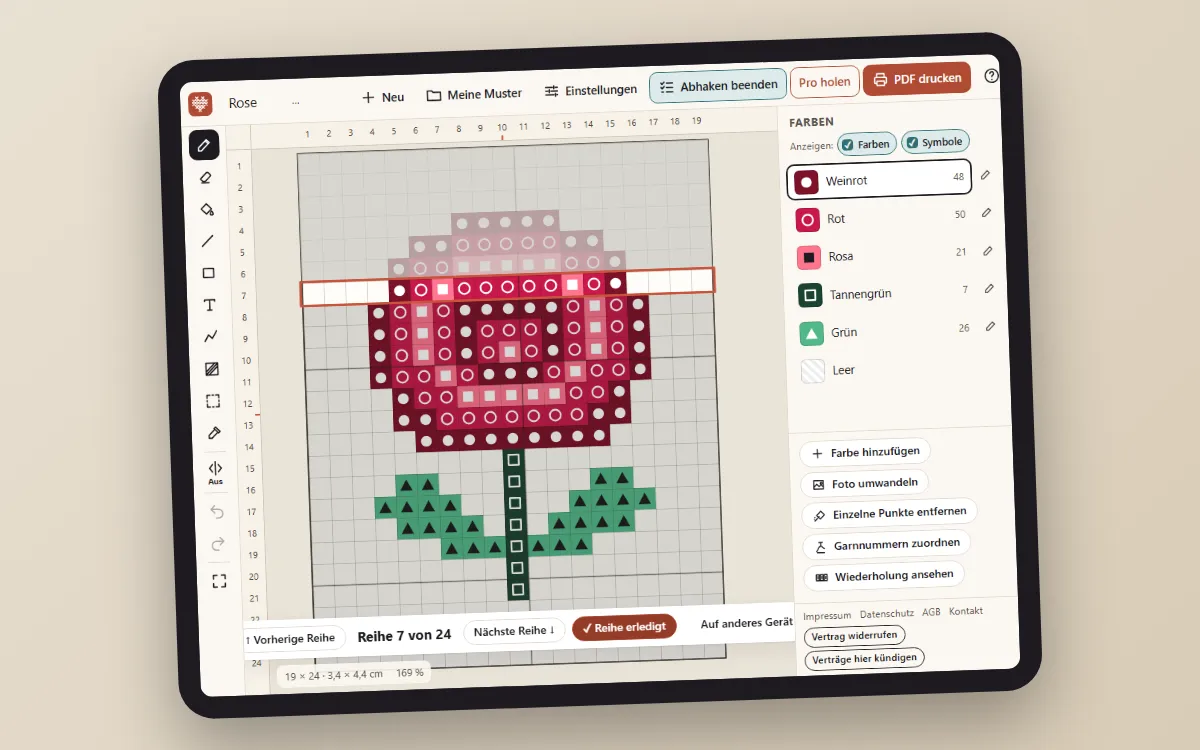
On paper you mark finished stitches with a highlighter – and after every break you look for where you were. A tablet makes this easier: the current row is highlighted, finished rows are ticked off, and the chart is always as big as you need it.
Paper or tablet?
- Paper needs no battery, takes notes and lies flat next to the hoop. Big charts, though, mean many pages and hunting for where they join.
- A tablet shows the whole chart in one piece, you zoom in where you are stitching, and your progress is never lost. A small stand next to the hoop is all you need.
Many stitchers use both: the PDF as an overview and notepad, the tablet for counting.
Working row by row
- Open your pattern in the Stitchmio pattern maker and tap “Track rows” (on a phone in the “⋯” menu, on a computer key W).
- The current row is highlighted. Tap another row to jump there, or use “Previous row” and “Next row”.
- When a row is done, tap “Row done”. Finished rows stay marked – even after you close the browser.
- Zoom and move the chart with two fingers without drawing by accident: while tracking rows, a tap only selects the row.
For knitting, rows count from the bottom as usual in knitting charts (more in How to read a knitting chart). For C2C crochet the editor highlights the diagonal and shows the order of the colors in that row.
From computer to tablet – and back
Designing often happens at the computer, stitching on the sofa. With “To another device” the editor shows a QR code: scan it with the tablet and the pattern opens there with all the rows you ticked off. The link carries the whole pattern in the part after the “#”, which browsers never send to a server – so nothing is stored with us. The same way takes it back later.
For very big patterns the link is too long for a QR code; then copy it or email it to yourself. As a backup you can also download a backup file under “My patterns”.
Tips for relaxed stitching on a tablet
- Symbols and colors: under “Show” you can turn colors or symbols off. Symbols only is often easier to read when shades are similar.
- Screen: set the auto-lock to a longer time so the tablet doesn’t go dark mid-row.
- Grid lines: the bold lines every ten squares help you count – just like on paper. How to use them is in How to read a cross stitch chart.
Frequently asked questions
Do I need an app for this?
No. “Track rows” runs in the browser on your tablet or phone. Your progress is saved in the browser, without an account.
How does my pattern get from the computer to the tablet?
With “To another device”: the editor shows a QR code and a link. Both contain your pattern with the rows you ticked off, and nothing is stored on our server.
Can I open my PDF in a reader app?
Yes, any PDF opens in reader apps. Our PDFs embed the symbols as a font, as makers of such apps recommend. We have not tested this in the Pattern Keeper app itself.